Calozone Join the beta
Free beta on iPhone and Android

Train, eat and sleep on one plan.

Calozone tells you what to lift today, keeps count of what you eat, and reads last night's sleep before you start. Built for people who already log their training.
Calozone Fuel screen
Calozone Recovery screen
Calozone Train screen mid-session, showing 80 kg by 8 reps and the rest countdown inside the log button
7 h 30 sleptReady to train as planned
Set 1 logged80 kg × 8
Train

Log, rest, log. One button.

Tap to log the set. The rest countdown runs around the same button, and when it ends the button is ready for the next set. Try it here.

01 Numbers you can read mid-set Load and reps are the biggest thing on the screen, with plus and minus right under them.
02 Rest lives in the button No second timer to find. Tap during rest to skip it.
03 Order the session your way Drag exercises before you start. Each shows last week’s numbers next to today’s target.
Barbell Bench Press Set 1 of 4 · 6–10 reps
80kg
−+
8reps
−+
Log set 1
Rest runs fast here, so you don't wait 90 seconds.
A day on one plan

Sleep, sets and meals talk to each other.

07:10 Recovery
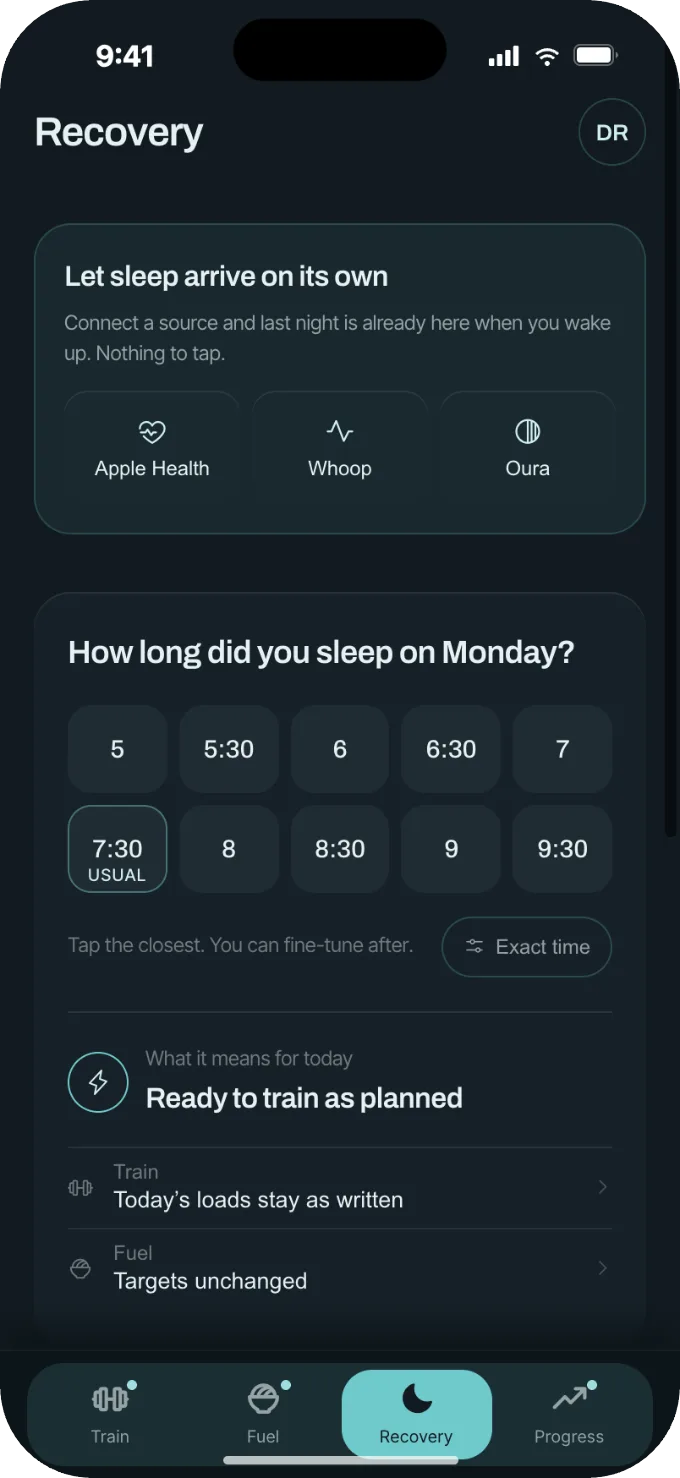
Sleep arrives on its own 7 h 30 from your watch. Ready to train as planned, so today’s loads stay as written.
18:30 Train
Bench, 80 kg × 8 Log the set, rest counts down in the same button, next set. Eighteen sets, no menus.
21:00 Fuel
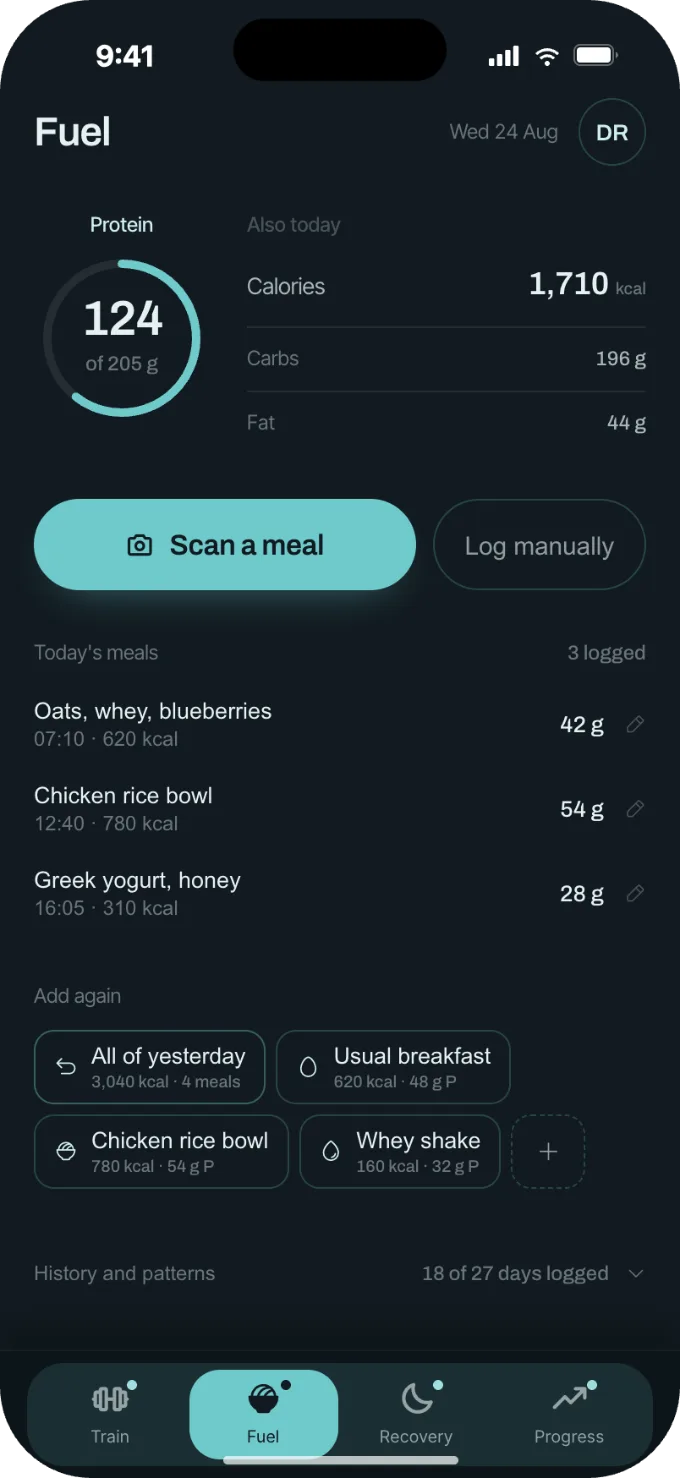
Protein, topped up The ring shows what is left. One tap on a saved meal closes the gap before bed.
Fuel

Protein first. Everything else in one line.

Scan a meal and confirm what the camera found, or type it in. The meals you eat every week become one-tap chips, and yesterday can be copied in a single tap.

Scan, then confirm every ingredient before it counts
Copy all of yesterday in one tap
Four weeks of history, one tap away
Calozone Fuel screen with protein ring, scan button, today's meals and one-tap chips
Calozone Recovery screen: last night logged, verdict Ready to train as planned
Recovery

Last night's sleep, turned into today's plan.

Connect Apple Health, Whoop or Oura, or tap how long you slept. Calozone tells you what that means for today's training and food. You decide whether to change anything.

7 h + Ready to train as planned Loads as written, targets unchanged
6–7 h Train, but hold the load Keep last week’s weights, protein first
< 6 h Take it lighter today One set fewer, a little more carbs before training
Progress

Week by week, not streak by streak.

Each week shows the sessions you planned and the ones you did. Open a week to see every exercise.
Planned against done, week by week
Strength and sets per muscle, one tap away
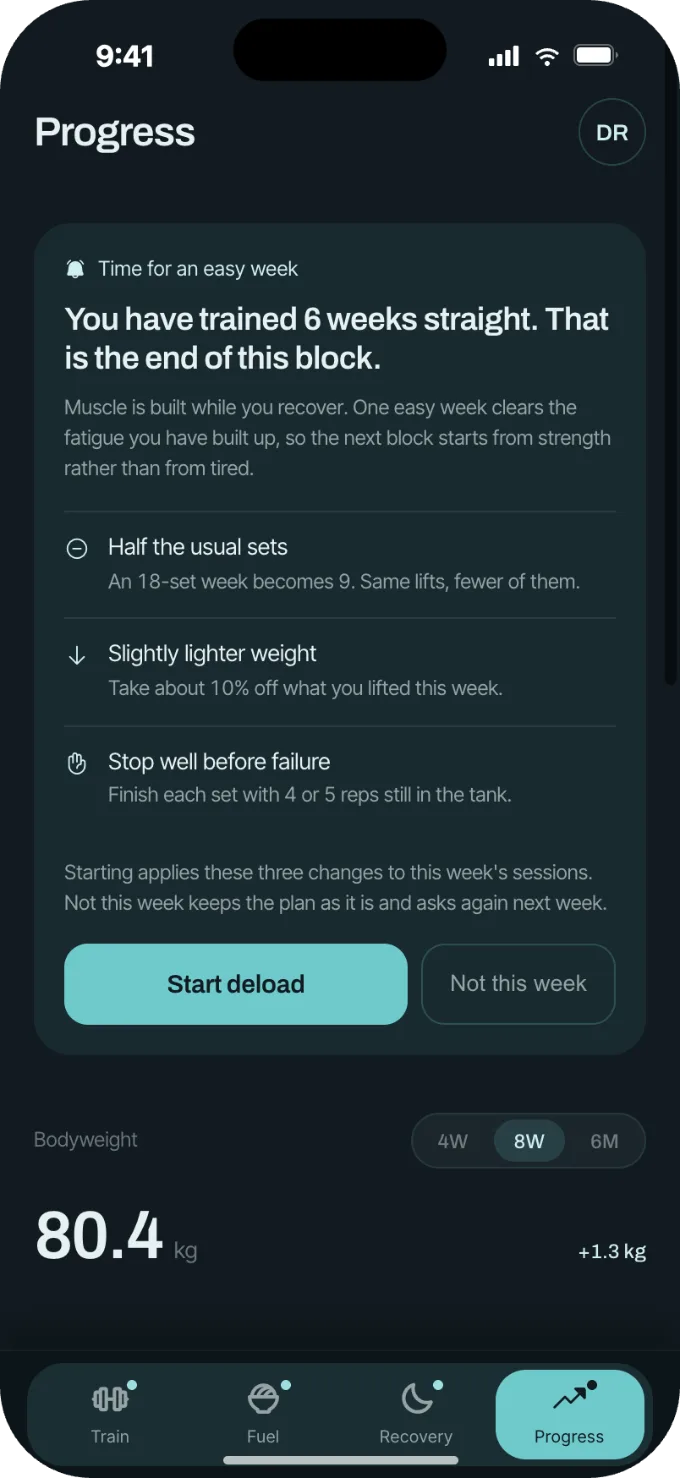
Deloads suggested, never forced
Calozone Progress screen with week-by-week consistency

Questions

What does the beta cost?

Nothing. The beta is free. Pricing will be announced before the public release.

Which phones does it run on?

iPhone through TestFlight and Android through Google Play testing.

Does it change my program on its own?

Only if you turn on Automatic. By default Calozone suggests a change and waits for you. You can also switch adjustments off entirely.

Where does sleep data come from?

Apple Health, Whoop or Oura, or a single tap each morning if you prefer to enter it yourself.

How accurate is meal scanning?

It is an estimate. Every scan opens a review screen where you check the ingredients and amounts, and nothing is logged until you confirm.

Does it work without signal?

Yes. Sets, meals and sleep are saved on the phone and sync when you are back online.

Try it before everyone else.

The beta is free on iPhone and Android.

TestFlight Google Play
Follow @calozone for beta updates